


此前写的那个太复杂了,来点简单的核心
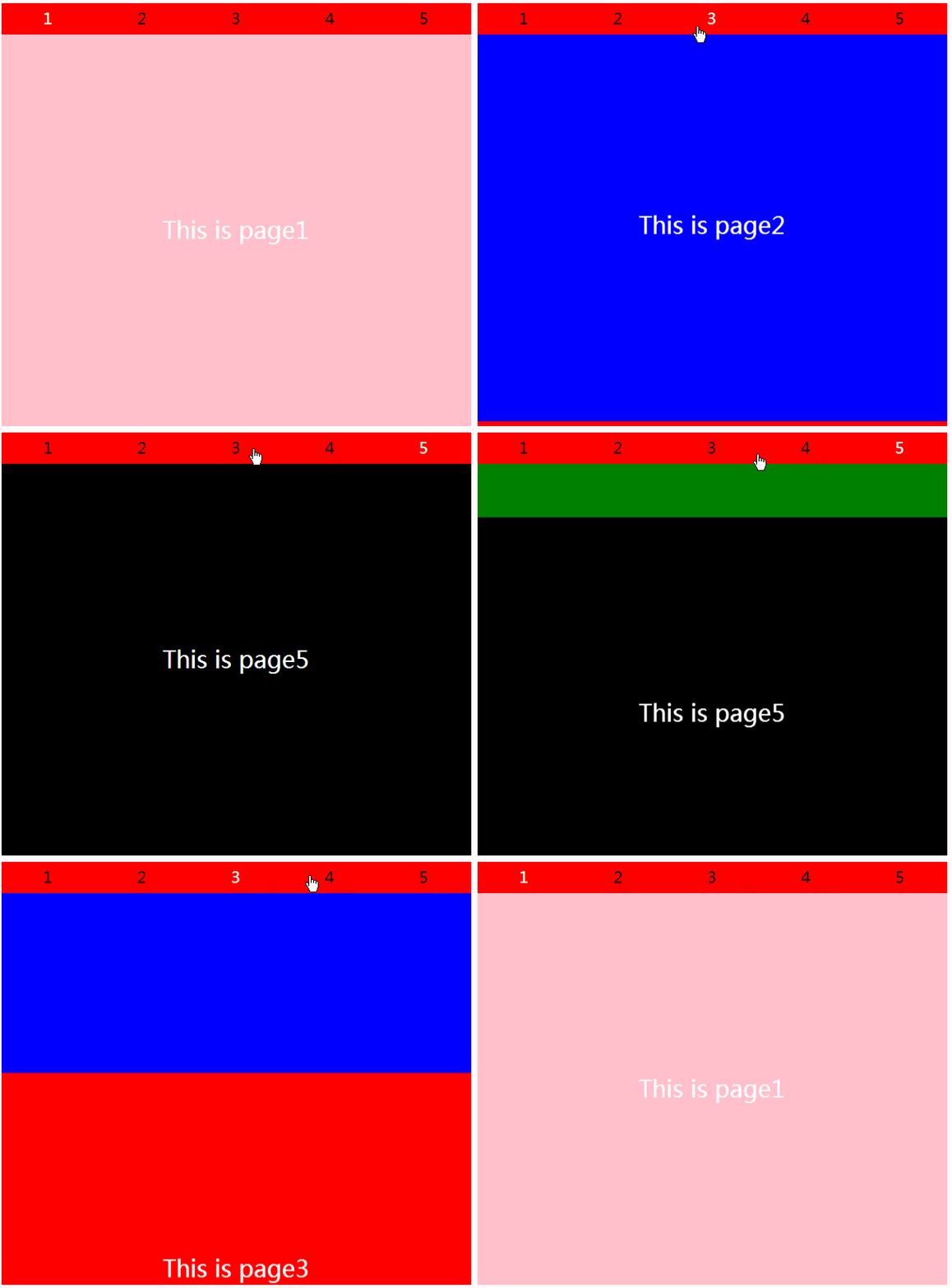
 * { margin: 0; padding: 0; border: none; }
 .Bl {
     width: 600px;
     height: 540px;
     margin: 0 auto;
     position: relative;
     top: 50%;
     transform: translateY(-50%);
 }
 .Bl > input {
     width: 20%;
     height: 40px;
     position: absolute;
     cursor: pointer;
     opacity: 0;
 }
 .Bl input:nth-of-type(1){ left: 0%; }
 .Bl input:nth-of-type(2){ left: 20%; }
 .Bl input:nth-of-type(3){ left: 40%; }
 .Bl input:nth-of-type(4){ left: 60%; }
 .Bl input:nth-of-type(5){ left: 80%; }

 .Bl input:nth-of-type(1):checked ~ span:nth-of-type(1) { color: white; }
 .Bl input:nth-of-type(2):checked ~ span:nth-of-type(2) { color: white; }
 .Bl input:nth-of-type(3):checked ~ span:nth-of-type(3) { color: white; }
 .Bl input:nth-of-type(4):checked ~ span:nth-of-type(4) { color: white; }
 .Bl input:nth-of-type(5):checked ~ span:nth-of-type(5) { color: white; }
 .Bl input:nth-of-type(1):checked ~ .pagebox > .pages {  }
 .Bl input:nth-of-type(2):checked ~ .pagebox > .pages { transform: translateY(-100%); }
 .Bl input:nth-of-type(3):checked ~ .pagebox > .pages { transform: translateY(-200%); }
 .Bl input:nth-of-type(4):checked ~ .pagebox > .pages { transform: translateY(-300%); }
 .Bl input:nth-of-type(5):checked ~ .pagebox > .pages { transform: translateY(-400%); }
 span {
     display: block;
     width: 20%;
     height: 40px;
     background-color: red;
     float: left;
     text-align: center;
     line-height: 40px;
     font-size: 20px;
 }
 .pagebox,.pages {
     width: 100%;
     height: 500px;
 }
 .pagebox {
     overflow: hidden;
 }
 .pages {
     transition: all 0.5s;
 }
 .page {
     width: 100%;
     height: 100%;
     text-align: center;
     font-family: "微软雅黑";
     font-size: 30px;
     line-height: 500px;
     color: white;
 }
 .page1 { background-color: pink; }
 .page2 { background-color: blue; }
 .page3 { background-color: red; }
 .page4 { background-color: green; }
 .page5 { background-color: black; }


 1
 2
 3
 4
 5


  This is page1
  This is page2
  This is page3
  This is page4
  This is page5
总结
以上所述是小编给大家介绍的纯CSS3制作页面切换效果的实例代码,希望对大家有所帮助,如果大家有任何疑问请给我留言,小编会及时回复大家的。在此也非常感谢大家对考高分网网站的支持!
如果你觉得本文对你有帮助,欢迎转载,烦请注明出处,谢谢!



