


等高布局的方式
指在同一个父容器中,子元素高度相等的布局.
从等高布局实现方式来说,又分为两类
伪等高
子元素高度差依然存在,只是视觉上给人感觉就是等高.
真等高
子元素高度相等
先来看看伪等高实现方式
通过负margin和Padding实现
真等高实现方式
- table
- absoult
- flex
- grid
- js
伪等高之-负margin和padding
主要利用负margin来实现, 具体 负margin实现可以参考下这篇文章
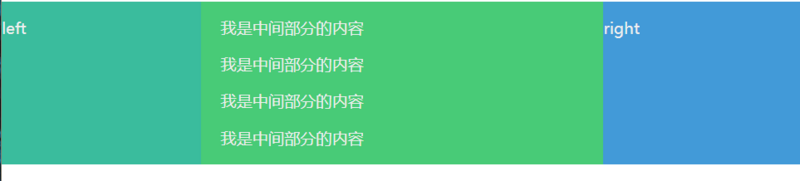
 left

     我是中间部分的内容
     我是中间部分的内容
     我是中间部分的内容
     我是中间部分的内容

 right
 11111111111
.parent{
    position: relative;
    overflow:hidden;
    color: #efefef;
}
.center,
.left,
.right {
    box-sizing: border-box;
    float: left;
}
.center {
    background-color: #2ECC71;
    width: 60%;
}

.left {
    width: 20%;
    background-color: #1ABC9C;
}
.right {
    width: 20%;
    background-color: #3498DB;
}
.left,
.right,
.center  {
    margin-bottom: -99999px;
    padding-bottom: 99999px;
}
真实等高之 - table布局
 left

     我是中间部分的内容
     我是中间部分的内容
     我是中间部分的内容
     我是中间部分的内容

 right
 11111111111
    .parent{
 position: relative;
 display: table;
 color: #efefef;
    }
    .center,
    .left,
    .right {
 box-sizing: border-box;
 display: table-cell
    }
    .center {
 background-color: #2ECC71;
 width: 60%;
    }

    .left {
 width: 20%;
 background-color: #1ABC9C;
    }
    .right {
 width: 20%;
 background-color: #3498DB;
    }
真实等高之 - absolute
 left

     我是中间部分的内容
     我是中间部分的内容
     我是中间部分的内容
     我是中间部分的内容

 right
   .parent{
 position: absolute;
 color: #efefef;
 width:100%;
 height: 200px;
    }

    .left,
    .right,
    .center {
 position: absolute;
 box-sizing: border-box;
 top:0;
 bottom:0;
    }
    .center {
 background-color: #2ECC71;
 left: 200px;
 right: 300px;
    }

    .left {
 width: 200px;
 background-color: #1ABC9C;
    }
    .right {
 right:0;
 width: 300px;
 background-color: #3498DB;
    }
真实等高之 - flex
.parent{
    display: flex;
    color: #efefef;
    width:100%;
    height: 200px;
}

.left,
.right,
.center {
    box-sizing: border-box;
    flex: 1;
}
.center {
    background-color: #2ECC71;
}
.left {
    background-color: #1ABC9C;
}
.right {
    background-color: #3498DB;
}
    left

 我是中间部分的内容
 我是中间部分的内容
 我是中间部分的内容
 我是中间部分的内容

    right
真实等高之 - grid
    .parent{
 display: grid;
 color: #efefef;
 width:100%;
 height: 200px;
 grid-template-columns: 1fr 1fr 1fr;
    }

    .left,
    .right,
    .center {
 box-sizing: border-box;
    }
    .center {
 background-color: #2ECC71;
    }
    .left {
 background-color: #1ABC9C;
    }
    .right {
 background-color: #3498DB;
    }
    left

 我是中间部分的内容
 我是中间部分的内容
 我是中间部分的内容
 我是中间部分的内容

    right
真实等高之 - js
获取所有元素中最高列,然后再去比对再进行修改
 left

     我是中间部分的内容
     我是中间部分的内容
     我是中间部分的内容
     我是中间部分的内容

 right
    .parent{
 overflow: auto;
 color: #efefef;
    }
    .left,
    .right,
    .center {
 float: left;
    }
    .center {
 width: 60%;
 background-color: #2ECC71;
    }
    .left {
 width: 20%;
 background-color: #1ABC9C;
    }
    .right {
 width: 20%;
 background-color: #3498DB;
    }
     // 获取最高元素的高度
    var nodeList = document.querySelectorAll(".parent > div");
    var arr = [].slice.call(nodeList,0);
    var maxHeight = arr.map(function(item){
 return item.offsetHeight
    }).sort(function(a, b){
 return a - b;
    }).pop();
    arr.map(function(item){
 if(item.offsetHeight < maxHeight) {
     item.style.height = maxHeight + "px";
 }
    });
以上就是本文的全部内容,希望对大家的学习有所帮助,也希望大家多多支持考高分网。



