


1、自定义文本选择
::selection {
  background: red;
  color: black;
}
2、去掉video的controls中的下载按钮
video::-internal-media-controls-download-button {
    display:none;
}

video::-webkit-media-controls-enclosure {
    overflow:hidden;
}

video::-webkit-media-controls-panel {
    width: calc(100% + 30px);
}
3、css3特性中的transform:translateZ(0)有什么作用
GPU加速,优化前端性能
4、滚动条样式修改
*::-webkit-scrollbar {
    width: 2px;
  height: 2px;
}
*::-webkit-scrollbar-thumb {
  border-radius: 5px;
  box-shadow: inset 0 0 5px rgba(0, 0, 0, 0.2);
    -webkit-box-shadow: inset 0 0 5px rgba(0, 0, 0, 0.2);
  background: #00063a;
}
*::-webkit-scrollbar-track {
  box-shadow: inset 0 0 5px rgba(0, 0, 0, 0.2);
    -webkit-box-shadow: inset 0 0 5px rgba(0, 0, 0, 0.2);
    border-radius: 0;
  background: #00063a;
}
5、input type number 隐藏上下按钮
input::-webkit-outer-spin-button,
input::-webkit-inner-spin-button {
    -webkit-appearance: none;
}
input[type="number"]{
    -moz-appearance: textfield;
}
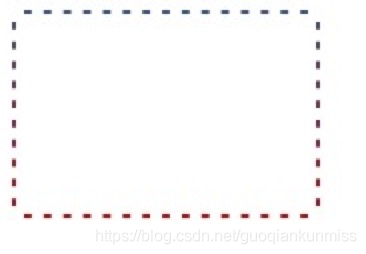
6、css渐变虚框
    .box {
 width: 150px;
 border: 2px dashed #fff;
 background: linear-gradient(to bottom, #34538b, #cd0000);
 background-origin: border-box;
    }
    .content {
 height: 100px;
 background-color: #fff;
    }
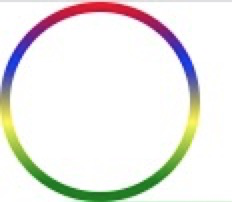
7、border渐变色圆角
	.content {
		width: 100px;
	   	height: 100px;
	    box-sizing: border-box;
	    padding: 5px;
	    border-radius: 50%;
	    background-image: -webkit-linear-gradient(top, red 0%, blue 30%, yellow 60%, green 90%);
	    background-image: -moz-linear-gradient(top, red 0%, blue 30%, yellow 60%, green 90%);
	    background-image: linear-gradient(top, red 0%, blue 30%, yellow 60%, green 90%);
	}
	.box {
		width:100%;
	    height:100%;
	    border-radius:50%;
	    background:#fff;
	}
8、输入框光标变色,文字不变色
input{
    caret-color: red;
}

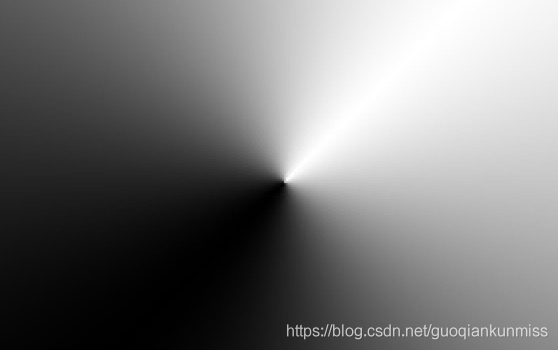
9、锥形渐变
.box {
    width: 300px; height: 300px;
    background: conic-gradient(from 45deg, white, black, white);
}
10、 text-decoration实现波浪线
wavy {
    display: block;
    height: .5em;
    white-space: nowrap;
    letter-spacing: 100vw;
    padding-top: .5em;
    overflow: hidden;
}
wavy::before {
    content: "20002000";

    text-decoration: overline;

    text-decoration: overline wavy;
}

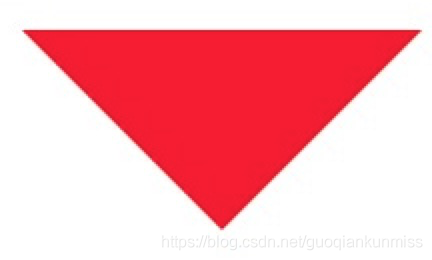
11、css三角形
.div1{
	width: 0;
	height: 0;
	border: 100px solid;

	border-color: red transparent transparent transparent;
}
12、css背景渐变与背景图片并存
background: url(https://img.alicdn.com/imgextra/i4/1881744325/O1CN01JBktT81hotb8c6Py0_!!1881744325.png) center no-repeat,linear-gradient(to bottom,red,#3c3f40);

13、自定义浏览器滚动条
::-webkit-scrollbar {
    width: 5px;
    height: 5px;
    background-color: rgba(245, 245, 245, 0.47);
}


::-webkit-scrollbar-track {
    -webkit-box-shadow: inset 0 0 6px rgba(0, 0, 0, .3);
    border-radius: 10px;
    background-color: #f5f5f5;
}


::-webkit-scrollbar-thumb {

    height: 20px;
    border-radius: 10px;
    -webkit-box-shadow: inset 0 0 6px rgba(0, 0, 0, .3);
    background-color: rgba(85, 85, 85, 0.25);
}
14、改变placeholder的字体颜色大小
input::-webkit-input-placeholder {

    font-size:14px;
    color: #333;
}
input::-moz-placeholder {

    font-size:14px;
    color: #333;
}
input:-ms-input-placeholder {

    font-size:14px;
    color: #333;
}
到此这篇关于css一些不常见但很有用的属性操作大全的文章就介绍到这了,更多相关css 属性操作内容请搜索考高分网以前的文章或继续浏览下面的相关文章,希望大家以后多多支持考高分网!



