


环境:ES 6.8.10
os:Centos 7.8.2003 (Core)
1、创建新的索引(index)
PUT indexTest001
2、索引设置
ES 默认提供了好多索引配置选项,参考https://www.elastic.co/guide/en/elasticsearch/reference/5.6/index-modules.html
修改索引设置参考:https://blog.csdn.net/qq_15958689/article/details/79524291
3、创建mapping
先看下刚刚创建的索引的mapping:
GET indextest001/_mapping
由上图显示,新建的索引中,mapping是一个空集,我们要创建这个index的mapping
```xml
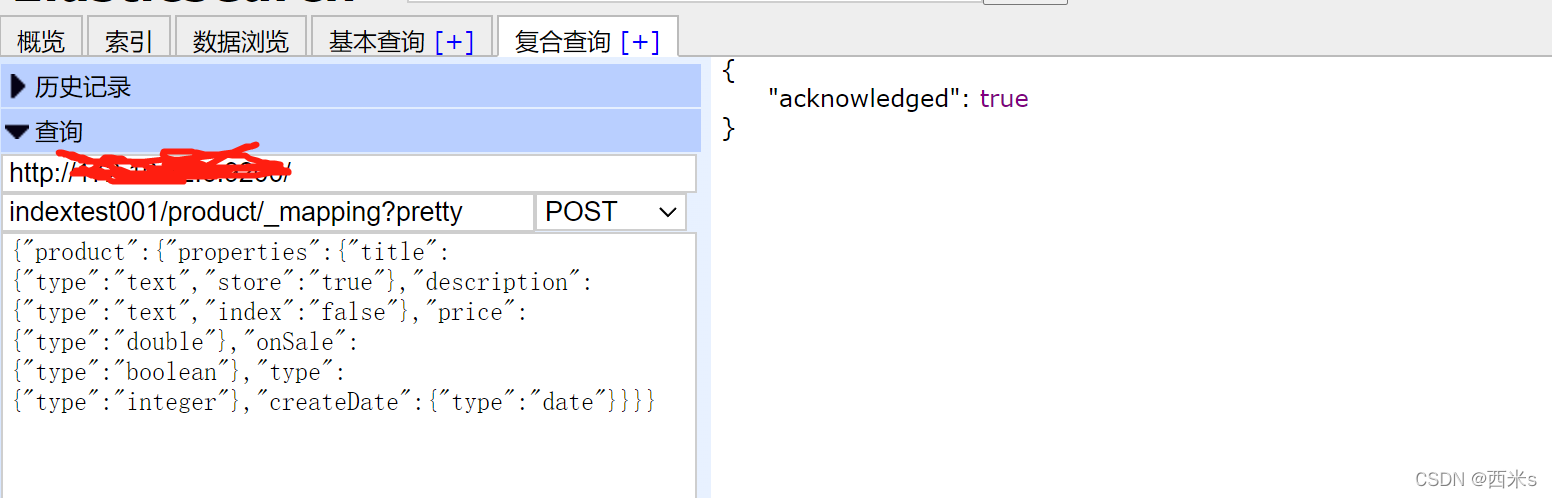
POST indextest001/product/_mapping?pretty

    {"product":{"properties":{"title":{"type":"text","store":"true"},"description":{"type":"text","index":"false"},"price":{"type":"double"},"onSale":{"type":"boolean"},"type":{"type":"integer"},"createDate":{"type":"date"}}}}
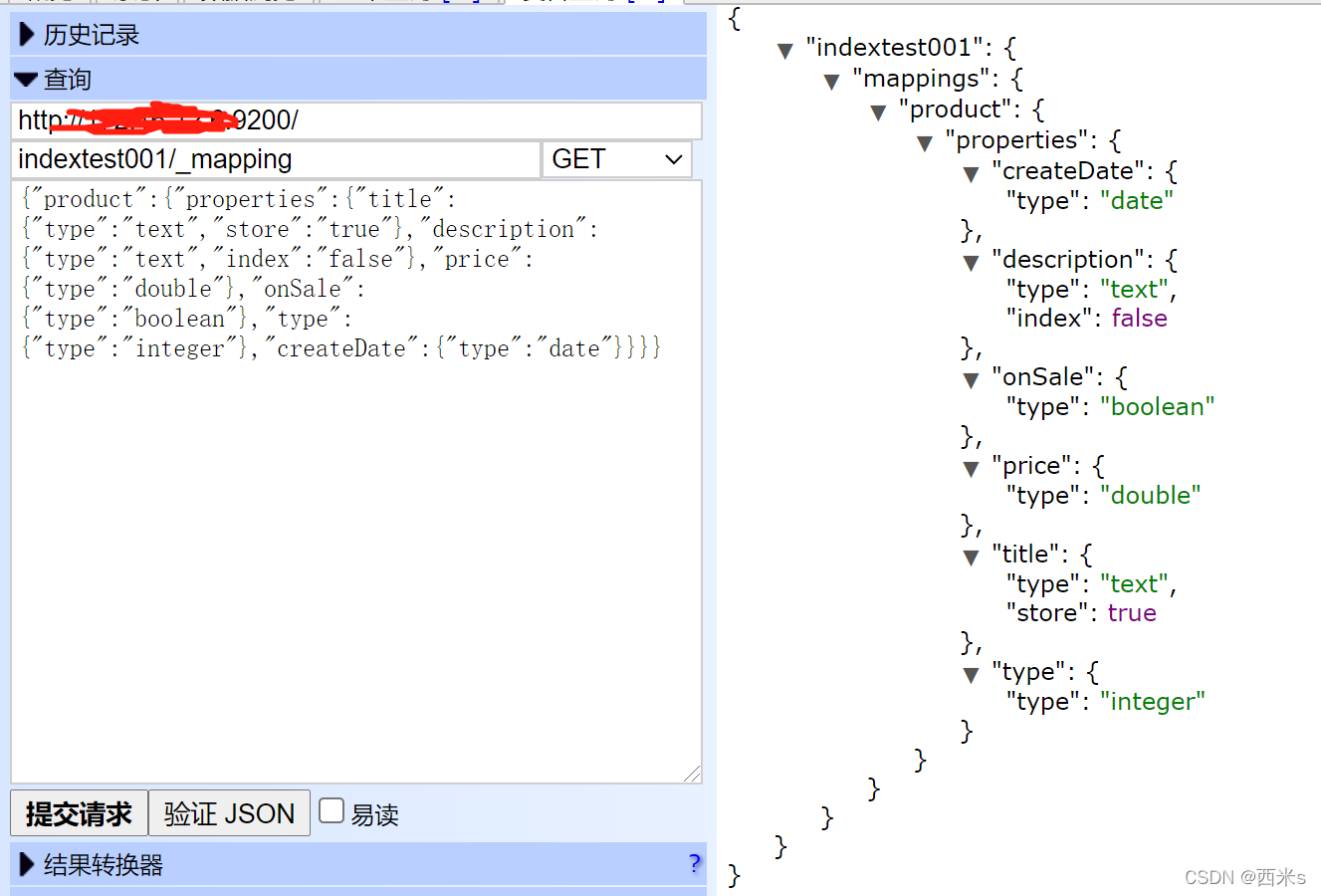
创建完再次查看
4、插入数据
POST indextest001/product
{undefined
"title": "test title 001",
"description": "es test 001 ",
"price": 1.6,
"onSale": "true",
"type": 2,
"createDate": "2021-01-08"
}
然后查询一下所有数据,默认为match_all
GET indextest001/product/
[参考文章](https://blog.csdn.net/qq_15958689/article/details/79524291)



