


学习链接:https://blog.dteam.top/posts/2019-04/%E6%9C%AC%E5%9C%B0https%E5%BF%AB%E9%80%9F%E8%A7%A3%E5%86%B3%E6%96%B9%E6%A1%88mkcert.html
mkcert下载地址: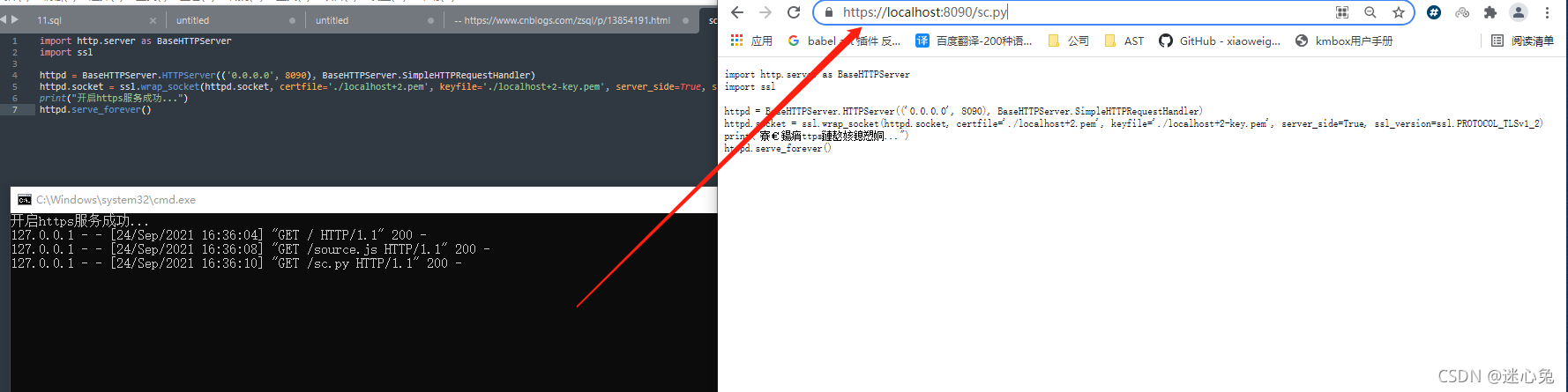 https://github.com/FiloSottile/mkcert/releases/latest 1、管理员启动cmd 2、安装:mkcert-v1.4.3-windows-amd64.exe -install 3、查看本地mkcert保存路径:mkcert-v1.4.3-windows-amd64.exe -CAROOT 4、生成自签证书:mkcert-v1.4.3-windows-amd64.exe localhost 127.0.0.1 ::1 5、python3使用生成的证书文件:下面的代码python3版本
import http.server as baseHTTPServer
import ssl

httpd = baseHTTPServer.HTTPServer(('0.0.0.0', 8090), baseHTTPServer.SimpleHTTPRequestHandler)
httpd.socket = ssl.wrap_socket(httpd.socket, certfile='./localhost+2.pem', keyfile='./localhost+2-key.pem', server_side=True, ssl_version=ssl.PROTOCOL_TLSv1_2)
print("开启https服务成功...")
httpd.serve_forever()



