这个好像是没有什么可多说的。
看过定位这个概念的,都能理解。
复制代码代码如下:
*{margin:0px;padding:0px;}
body{text-align:center;}
.body{width:200px;height:auto;position:relative;text-align:left;margin:0 auto;}
.ourImg{width:200px;padding:3px;background:#eee;border:1px solid #aaa;height:auto;}
.body ul{list-style-type:none;}
.body a .hotspot{width:100px;height:150px;position:absolute;}
.body .MM a .hotspot{top:10px;left:15px;}
.body a .link{position:absolute;display:block;width:10em;right:-11em;cursor:pointer;}
.body .MM a .link{top:5px;color:#0066FF;}
.body a:hover .hotspot,.body a:focus .hotspot{border:1px solid #FFF;}
.body a:hover .link,.body a:focus .link{color:#0066FF;}

-
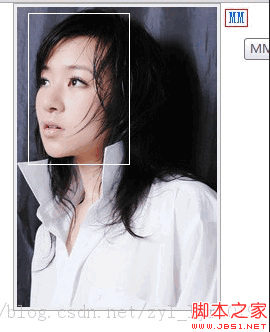
MM
效果图如下:当鼠标悬停到MM字样时,图片中就会出现一个白色的框