栏目分类:
子分类:
返回
名师互学网用户登录
快速导航关闭
当前搜索
当前分类
子分类
实用工具
热门搜索
名师互学网 > IT > 软件开发 > Web开发 > Html/CSS > CSS教程

CSS3制作气泡对话框的实例教程

CSS教程 更新时间: 发布时间: IT归档 最新发布 模块sitemap 名妆网 法律咨询 聚返吧 英语巴士网 伯小乐 网商动力

创建一个100%CSS的气泡,我们从下面的标记考试。

XML/HTML Code复制内容到剪贴板
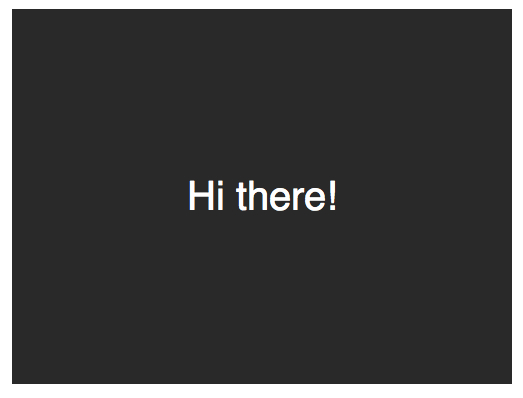
  1. Hi there!
  

接下来,应用一些基本样式。

CSS Code复制内容到剪贴板
  1. .speech-bubble {   
  2.     position: relative;   
  3.     background-color: #292929;   
  4.     
  5.     width: 200px;   
  6.     height: 150px;   
  7.     line-height: 150px;   
  8.     
  9.     color: white;   
  10.     text-align: center;   
  11. }  

2016510114442520.jpg (523×398)

箭头将通过after伪元素实现。

CSS Code复制内容到剪贴板
  1. .speech-bubble:after {   
  2.     content: '';      
  3. }   
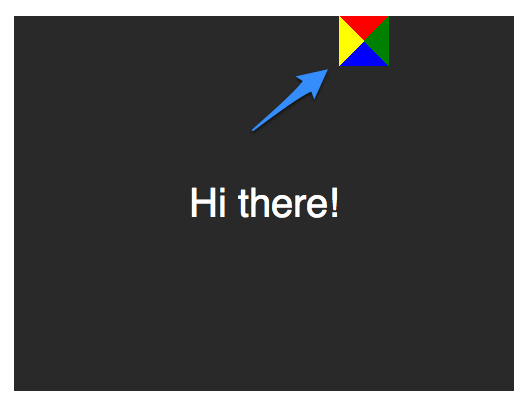
  4. :before和:after伪元素可以用来在元素内容之前或之后插入生成内容。 接下来,只是简单复制箭头,并定位到适当的位置。我们开始通过绝对定位的内容,重置宽度和高度,并应用边界颜色。   
  5. .speech-bubble:after {   
  6.   content: '';   
  7.   position: absolute;   
  8.     
  9.   width: 0;   
  10.   height: 0;   
  11.     
  12.   border: 10px solid;   
  13.   border-color: red green blue yellow;   
  14. }  

2016510114508238.jpg (529×406)

因为我们知道我们想要向下的箭头,上面的图片表明,除了红色(或上)边境其他的都应该被省略,或者设置为透明。
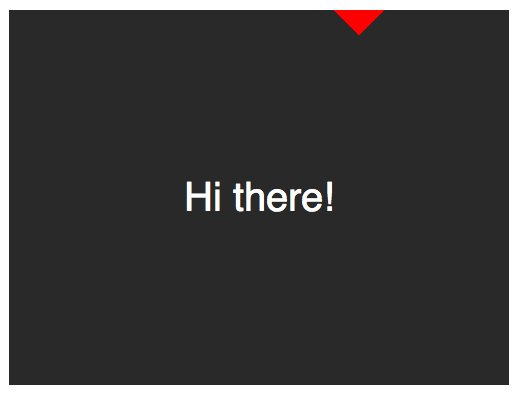
CSS Code复制内容到剪贴板
  1. .speech-bubble:after {   
  2.   content: '';   
  3.   position: absolute;   
  4.     
  5.   width: 0;   
  6.   height: 0;   
  7.     
  8.   border: 10px solid;   
  9.   border-top-color: red;   
  10. }  

2016510114530648.jpg (521×401)

当创建CSS形状是,因为我们不能使用width属性来指定箭头的宽度,而是应该使用border-width属性。在这种情况下,箭头应该更大点;所以border-width可以增加到15px。我们将箭头定位到容器的底部居中,通过利用top和left属性。
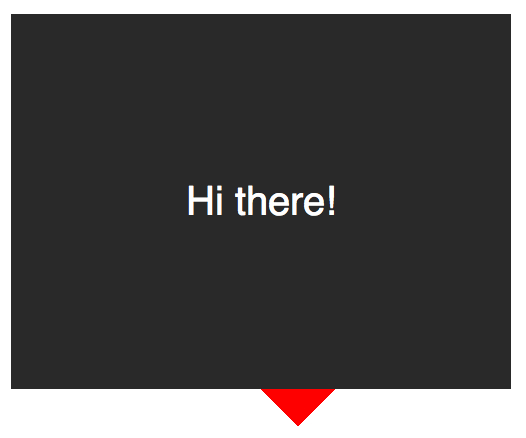
CSS Code复制内容到剪贴板
  1. .speech-bubble:after {   
  2.   content: '';   
  3.   position: absolute;   
  4.     
  5.   width: 0;   
  6.   height: 0;   
  7.     
  8.   border: 15px solid;   
  9.   border-top-color: red;   
  10.     
  11.   top: 100%;   
  12.   left: 50%;   
  13. }  

2016510114554761.jpg (526×438)

到这里就差不多了;最后一个步骤是更新箭头的颜色和容器的背景颜色相同。定位也需要修改,根据边界的宽度(15 px)。当我们在这里,我们还将应用一个微妙border-radius属性来使容器更像气泡。
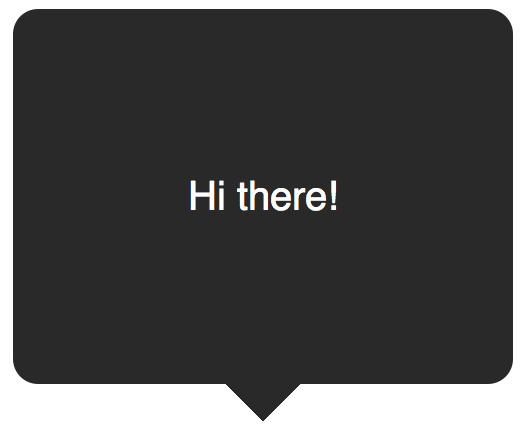
CSS Code复制内容到剪贴板
  1. .speech-bubble {   
  2.      
  3.    border-radius: 10px;   
  4. }   
  5.     
  6. .speech-bubble:after {   
  7.   content: '';   
  8.   position: absolute;   
  9.     
  10.   width: 0;   
  11.   height: 0;   
  12.     
  13.   border: 15px solid;   
  14.   border-top-color: #292929;   
  15.     
  16.   top: 100%;   
  17.   left: 50%;   
  18.   margin-left: -15px;   
  19. }  

2016510114622476.jpg (526×431)

不错,不是吗?将这代码抽象为几个可重用的类,好应用到你将来的项目。

CSS Code复制内容到剪贴板
  1.   
  2.     
  3. .speech-bubble {   
  4.   position: relative;   
  5.   background-color: #292929;   
  6.     
  7.   width: 200px;   
  8.   height: 150px;   
  9.   line-height: 150px;   
  10.     
  11.   color: white;   
  12.   text-align: center;   
  13.   border-radius: 10px;   
  14.     
  15.   font-family: sans-serif;   
  16. }   
  17.     
  18. .speech-bubble:after {   
  19.   content: '';   
  20.   position: absolute;   
  21.     
  22.   width: 0;   
  23.   height: 0;   
  24.     
  25.   border: 15px solid;   
  26. }   
  27.     
  28.     
  29.   
  30.     
  31. .speech-bubble-top:after {   
  32.   border-bottom-color: #292929;   
  33.     
  34.   left: 50%;   
  35.   bottombottom: 100%;   
  36.   margin-left: -15px;     
  37. }   
  38. .speech-bubble-rightright:after {   
  39.   border-left-color: #292929;   
  40.     
  41.   left: 100%;   
  42.   top: 50%;   
  43.   margin-top: -15px;      
  44. }   
  45.     
  46. .speech-bubble-bottombottom:after {   
  47.   border-top-color: #292929;   
  48.     
  49.   top: 100%;   
  50.   left: 50%;   
  51.   margin-left: -15px;     
  52. }   
  53.     
  54. .speech-bubble-left:after {   
  55.   border-right-color: #292929;   
  56.     
  57.   top: 50%;   
  58.   rightright: 100%;   
  59.   margin-top: -15px;      
  60. }  

2016510114727335.jpg (311×973)

补充:更好的垂直居中
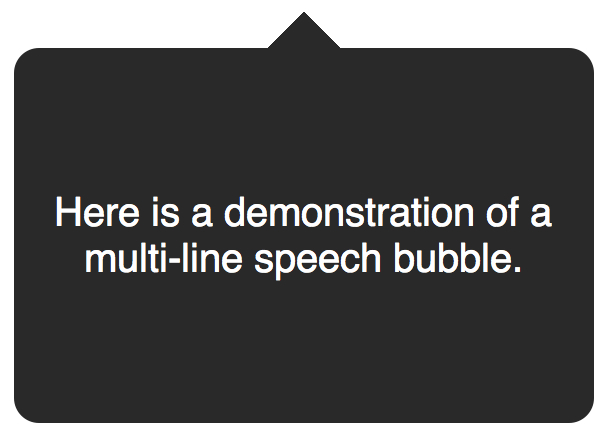
使用line-height实现垂直居中的一个缺点是仅限于一行。当文本需要两行或两行以上时,每一行的高度将会太大。一个聪明的解决办法是设置气泡的display属性为table,和包装段落文本的display为table-cell。这就允许我们将文本设为垂直居中。

XML/HTML Code复制内容到剪贴板
  1.   
  2.     

    Text goes here.


接下来,修改CSS。

CSS Code复制内容到剪贴板
  1. .speech-bubble {   
  2.    
  3.     
  4.   display: table;   
  5. }   
  6.     
  7. .speech-bubble p {   
  8.   display: table-cell;   
  9.   vertical-align: middle;   
  10. }  

2016510114652536.jpg (611×444)

如果引用display: table 带来可怕的表格布局的老式回忆,别担心。这些属性是指显示一个元素的样式。
我们不局限于三角形;CSS能产生各种各样的形状,甚至心和生物危害标志!
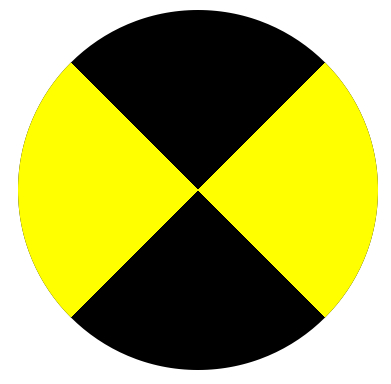
2016510114817712.jpg (391×384)

CSS Code复制内容到剪贴板
  1. .biohazard {   
  2.   width: 0; height: 0;   
  3.     
  4.   border: 60px solid;   
  5.   border-radius: 50%;   
  6.     
  7.   border-top-color: black;   
  8.   border-bottom-color: black;   
  9.   border-left-color: yellow;   
  10.   border-right-color: yellow;   
  11. }  
转载请注明:文章转载自 www.mshxw.com
本文地址:https://www.mshxw.com/it/215945.html

CSS教程相关栏目本月热门文章

我们一直用心在做
关于我们 文章归档 网站地图 联系我们

版权所有 (c)2021-2022 MSHXW.COM

ICP备案号:晋ICP备2021003244-6号