


最近切一个页面的时候涉及到了一个tab切换的部分,因为不想用js想着能不能用纯CSS的选择器来实现切换效果。搜了一下大致有下面三种写法。
1、利用 :hover 选择器
缺点:只有鼠标在元素上面的时候才有效果,无法实现选中和默认显示某一个的效果
2、利用 a标签的锚点 + :target选择器
缺点:因为锚点会将选中的元素滚动到页面最上面,每次切换位置都要移动,体验极差。
3、利用 label和radio 的绑定关系和 radio选中时的:checked 来实现效果
缺点:HTML结构元素更复杂
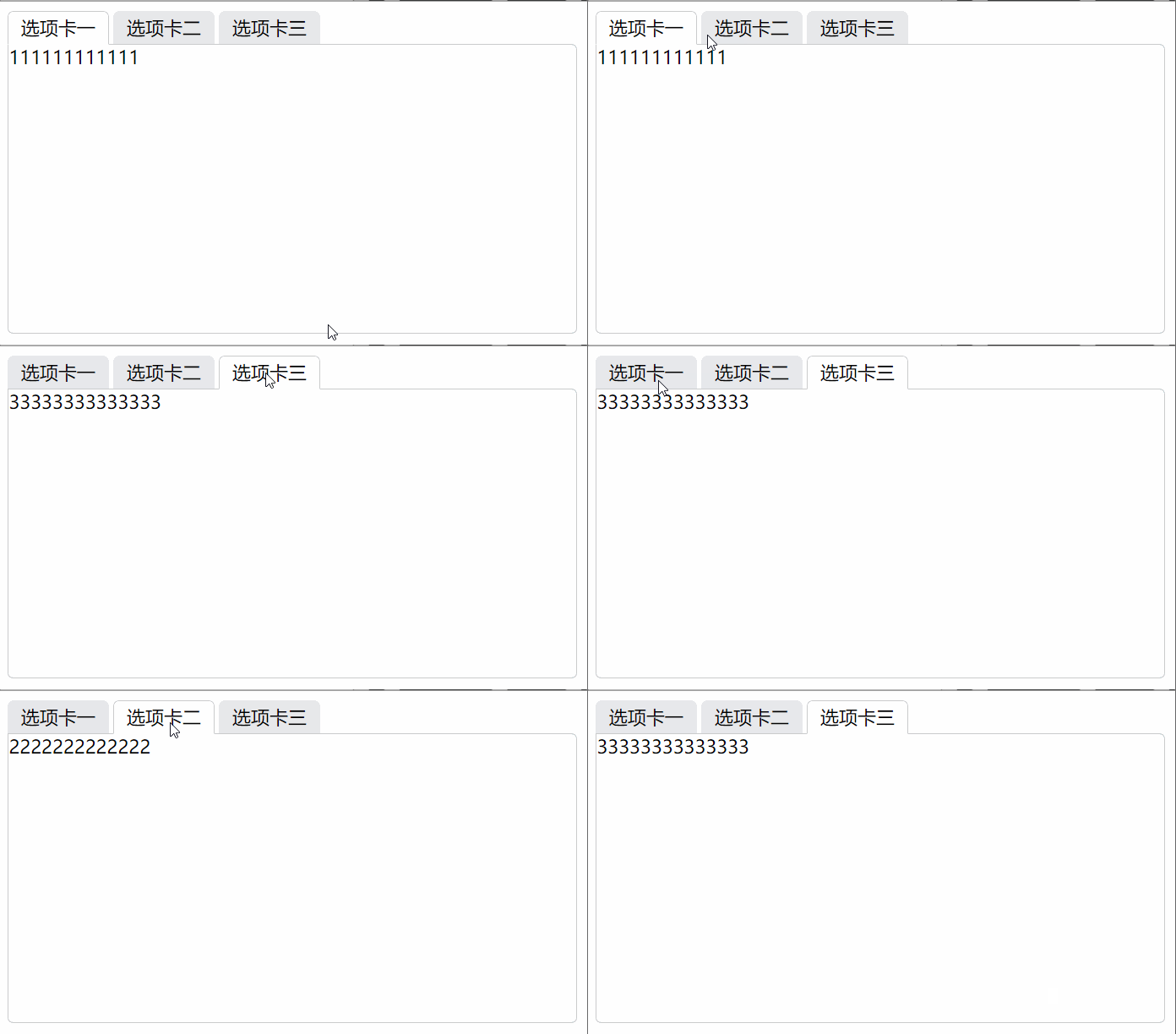
经过实验发现第三种方法达到的效果最好。所以下面讲一下第三种实现的方法。
这种方法的写法不固定,我查资料的时候各种各样的写法都有一度让我一头雾水的。最后看完发现总体思路都是一样的,无非就是下面的几个步骤。
- 绑定label和radio:这个不用说id和for属性绑定
- 隐藏radio按钮:这个方法有很多充分发挥你们的想象力就可以了,我见过的方法有设置 display:none; 隐藏的、设置 绝对定位,将left设置为很大的负值 ,移动到页面外达到隐藏效果、设置**绝对定位:使元素脱离文档流,然后 opacity: 0; **设置为透明来达到隐藏效果。
- 隐藏多余的tab页:和上面同理,还可以通过 z-index 设置层级关系来相互遮挡。
- 设置默认项:在默认按钮上添加 checked="checked" 属性
- 设置选中效果:利用 + 选择器 和 ~ 选择器来设置选中对应元素时下方的tab页的样式,来达到选中的效果
input[type="radio"]:checked+.test-label {

    border-color: #cbcccc;
    border-bottom-color: #fff;
    background: #fff;

    z-index: 10;
}

input[type="radio"]:checked~.tab-box {

    z-index: 5;
}
这样就可以实现一个Tab页切换的效果了,不用一点儿js,当然肯定也有兼容性的问题。实际操作中tab页还是使用js比较好。下面是小Demo的代码,样式比较多主要是为了实现各种选中效果, 真正用来达到选择切换目地的核心代码就几行
演示地址
代码:
CSS实现Tab切换效果
ul {
margin: 0;
padding: 0;
}
.clearfloat {
zoom: 1;
}
.clearfloat::after {
display: block;
clear: both;
content: "";
visibility: hidden;
height: 0;
}
.tab-list {
position: relative;
}
.tab-list .tab-itom {
float: left;
list-style: none;
margin-right: 4px;
}
.tab-itom .test-label {
position: relative;
display: block;
width: 85px;
height: 27px;
border: 1px solid transparent;
border-top-left-radius: 5px;
border-top-right-radius: 5px;
line-height: 27px;
text-align: center;
background: #e7e8eb;
}
.tab-itom .tab-box {
position: absolute;
left: 0;
top: 28px;
width: 488px;
height: 248px;
border: 1px solid #cbcccc;
border-radius: 5px;
border-top-left-radius: 0px;
background: #fff;
z-index: 0;
}
input[type="radio"] {
position: absolute;
opacity: 0;
}
input[type="radio"]:checked + .test-label {
border-color: #cbcccc;
border-bottom-color: #fff;
background: #fff;
z-index: 10;
}
input[type="radio"]:checked ~ .tab-box {
z-index: 5;
}
-
111111111111
-
2222222222222
-
33333333333333
以上就是本文的全部内容,希望对大家的学习有所帮助,也希望大家多多支持考高分网。



