


用CSS实现响应式布局
响应式布局感觉很高大上,很难,但实际上只用CSS也能实现响应式布局
要用的就是CSS中的没接查询,下面就介绍一下怎么运用:
使用@media 的三种方法
1.直接在CSS文件中使用:
@media 类型 and (条件1) and (条件二){
    css样式
}
@media screen and (max-width:1024px) {
    body{
 background-color: red;
    }
}
2.使用@import导入
@import url("css/moxie.css") all and (max-width:980px);
3.也是最常用的方法--直接使用link连接,media属性用于设置查询方法
下面是一个简单的响应式的布局HTMl代码:
    响应式


    头部

 左边
 中间
 右边

    底部
下面是CSS样式:
*{
    margin:0;
    padding:0;
    text-align:center;
    color:yellow;
}

.header{
    width:100%;
    height:100px;
    background:#ccc;
    line-height:100px;
}
.main{
    background:green;
    width:100%;
}
.clearfix:after{
    display:block;
    height:0;
    content:"";
    visibility:hidden;
    clear:both;
}
.left,.center,.right{
    float:left;
}
.left{
    width:20%;
    background:#112993;
    height:300px;
    font-size:50px;
    line-height:300px;
}
.center{
    width:60%;
    background:#ff0;
    height:400px;
    color:#fff;
    font-size:50px;
    line-height:400px;
}
.right{
    width:20%;
    background:#f0f;
    height:300px;
    font-size:50px;
    line-height:300px;
}
.footer{
    width:100%;
    height:50px;
    background:#000;
    line-height:50px;
}
样式代码
.right{
    float:none;
    width:100%;
    background:#f0f;
    clear:both;
}
.left{
    width:30%;
}
.center{
    width:70%;
}
.main{
    height:800px;
}
样式代码
.left,.center,.right{
    float:none;
    width:100%;
}
当窗口大于1024px 时,指挥被压缩,并不会发生其他变化:
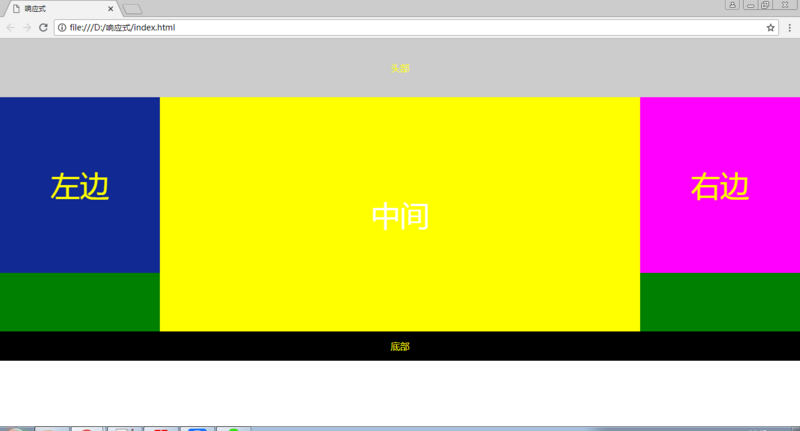
当窗口小于1024px,大于720px的时候,右侧栏取消浮动,在下边显示:
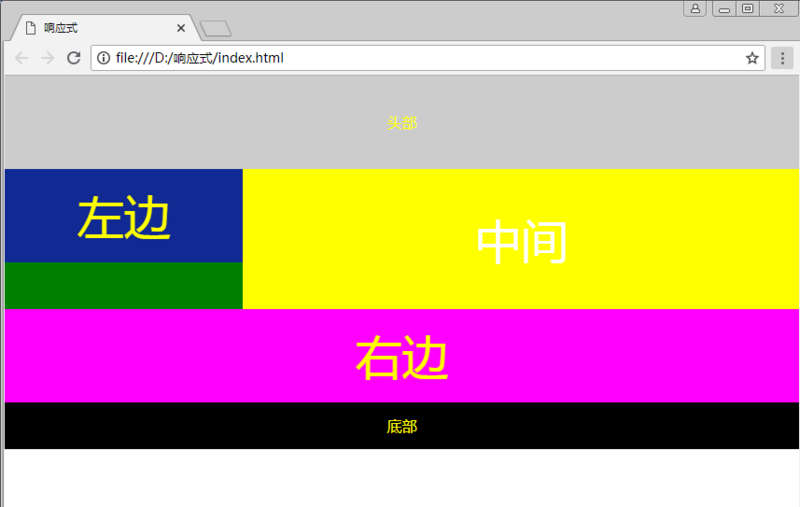
当窗口小于720px的时候,左中右三栏,全都取消浮动,宽度100%:
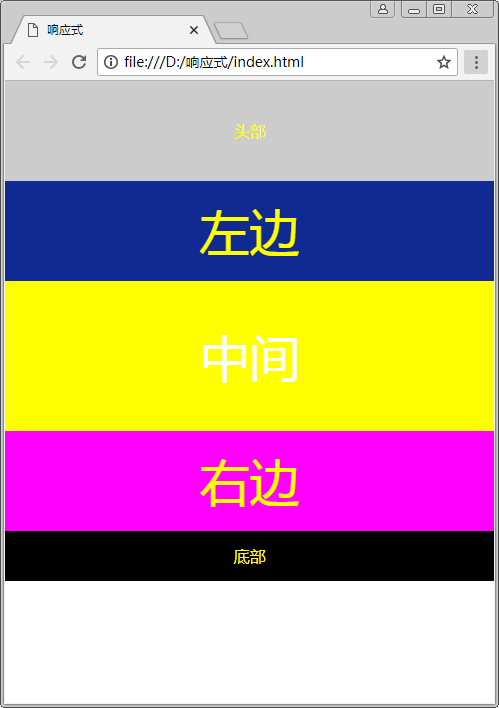
好了,布局就这么简单,细节的把握还靠不断地练习。持续更新,欢迎大家指教
以上就是本文的全部内容,希望对大家的学习有所帮助,也希望大家多多支持考高分网。



