


1. 父级容器设置成表格,子级设为行内元素。
适合子级内容为文本展示。
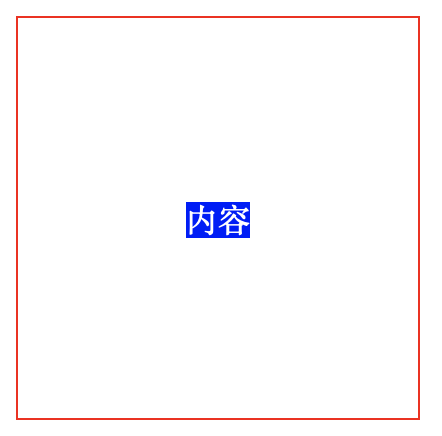
    #parent {
 height: 200px;
 width: 200px;
 border: 1px solid red;

 display: table-cell;
 text-align: center;
 vertical-align: middle;
    }
    #child {
 background-color: blue;
 color: white;

 display: inline;
    }


    内容
2. 父级容器设置相对定位,子级设置绝对定位后通过外边距居中。
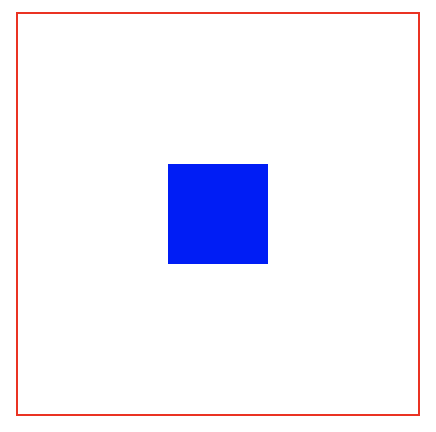
    #parent {
 height: 200px;
 width: 200px;
 border: 1px solid red;

 position: relative;
    }
    #child {
 height: 50px;
 width: 50px;
 color: white;
 background-color: blue;


 position: absolute;
 left: 0;
 top: 0;
 right: 0;
 bottom: 0;
 margin: auto;
    }
3. 父级容器设置为弹性盒,子级设置外边距。
    #parent {
 height: 200px;
 width: 200px;
 border: 1px solid red;

 display: flex;
 display: -webkit-flex;
    }
    #child {
 height: 50px;
 width: 50px;
 background-color: blue;

 margin: auto;
    }
4. 父级容器设置相对定位,子级设置绝对定位,左边距和上边距设置负一半宽度。
适合子级的宽高固定的情况。
    #parent {
 height: 200px;
 width: 200px;
 border: 1px solid red;

 position: relative;
    }
    #child {
 background-color: blue;

 width: 50px;
 height: 50px;
 margin-top: -25px;
 margin-left: -25px;
 position: absolute;
 left: 50%;
 top: 50%;
    }
5. 父级容器设置相对定位,子级设置绝对定位,通过变形属性设置水平和垂直方向负一半。
适合子级的宽高不固定的情况。
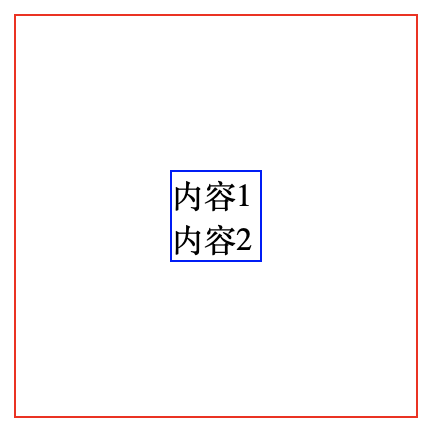
    #parent {
 height: 200px;
 width: 200px;
 border: 1px solid red;

 position: relative;
    }
    #child {
 border: 1px solid blue;

 position: absolute;
 top: 50%;
 left: 50%;
 -webkit-transform: translate(-50%,-50%);
 -ms-transform: translate(-50%,-50%);
 -o-transform: translate(-50%,-50%);
 transform: translate(-50%,-50%);
    }


     内容1


     内容2
6. 父级设置为弹性盒,设置对齐属性。
    #parent {
 height: 200px;
 width: 200px;
 border: 1px solid red;

 display: flex;
 display: -webkit-flex;
 justify-content: center;
 align-items: center;
    }
    #child {
 height: 50px;
 width: 50px;
 background-color: blue;
    }
以上就是本文的全部内容,希望对大家的学习有所帮助,也希望大家多多支持考高分网。



