


一、多次调用单箭头
实现了单箭头–就很容易实现双箭头了,上文已经介绍2种实现单箭头的原理: 边框旋转方式、双三角覆盖方式。这次以边框旋转为例多次调用实现双箭头。
1、边框旋转单箭头实现
.arrow-right{
  height: 120px;
  width: 30px;
  display :inline-block;
  position: relative;
}
.arrow-right::after {
  content: "";
  height: 60px;
  width: 60px;
  top: 12px;
  border-width: 8px 8px 0 0;
  border-color: blue;
  border-style: solid;
  transform: matrix(0.71, 0.71, -0.71, 0.71, 0, 0);
  position: absolute;
}
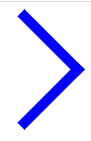
效果图如下:
2、多次调用单箭头
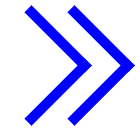
效果图如下:
二、旋转边框直接绘制双箭头
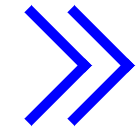
之前通过::after伪元素绘制单箭头,现在再加上::before伪元素再绘制一个单箭头就实现纯CSS绘制双箭头了。
.arrow-right{
  height: 120px;
  width: 30px;
  display :inline-block;
  position: relative;
}
.arrow-right::before {
  content: "";
  height: 60px;
  width: 60px;
  top: 12px;
  left: 30px;
  border-width: 8px 8px 0 0;
  border-color: blue;
  border-style: solid;
  transform: matrix(0.71, 0.71, -0.71, 0.71, 0, 0);
  position: absolute;
}
.arrow-right::after {
  content: "";
  height: 60px;
  width: 60px;
  top: 12px;
  border-width: 8px 8px 0 0;
  border-color: blue;
  border-style: solid;
  transform: matrix(0.71, 0.71, -0.71, 0.71, 0, 0);
  position: absolute;
}
效果图如下:
双三角覆盖这种方式也能直接绘制双箭头,但是实现比较麻烦,不如边框旋转方式好实现就不讲了
总结
到此这篇关于CSS常用样式之绘制双箭头的示例代码的文章就介绍到这了,更多相关css绘制双箭头内容请搜索考高分网以前的文章或继续浏览下面的相关文章,希望大家以后多多支持考高分网!



