


效果如下:

分析
1.这里看到的大概有三个圈 围着点在做放大动画
所以我们写四个盒子 点+3个圈
    document

 .city {
     width: 200px;
     height: 200px;
     background-color: gray;
     position: relative;
 }

 .pul {
     width: 8px;
     height: 8px;
     background-color: #09f;
     border-radius: 50%;
     top: 0;
     bottom: 0;
     left: 0;
     right: 0;
     margin: auto;
     position: absolute;
 }


 .city div[class^="pul"] {

     top: 0;
     bottom: 0;
     left: 0;
     right: 0;
     margin: auto;
     position: absolute;
     width: 8px;
     height: 8px;
     border-radius: 50%;
     box-shadow: 0px 0px 10px #09f;
 }

写完后 我们是需要给这三个圈 加放大的动画 但是可以看到 三个圈并不是同时触发动画的 所以需要给三个圈 设置不同的延迟时间 定义动画
  @keyframes pul {
     0% {}
     50% {
  width: 20px;
  height: 20px;
  opacity: 1;

     }

     100% {
  width: 50px;
  height: 50px;
  opacity: 0;
     }
 }
使用动画
.city>div:nth-child(2) {
     animation: pul 2s .5s linear infinite;
 }

 .city>div:nth-child(3) {
     animation: pul 2s 1s linear infinite;
 }

 .city>div:nth-child(4) {
     animation: pul 2s 1.5s linear infinite;
 }
效果如下:
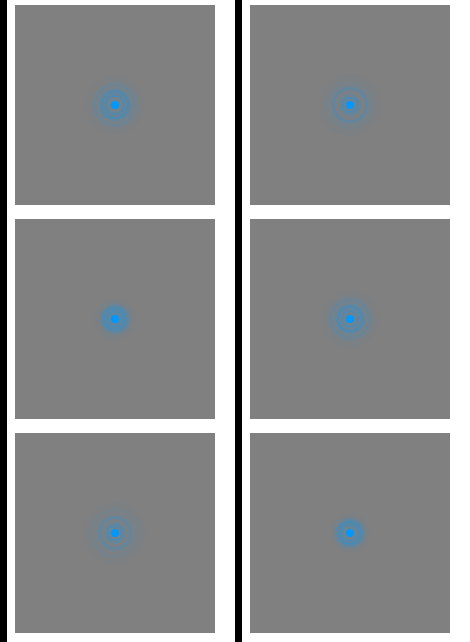
背景图可以自己找 这里就不发了 发上来下载要钱
到此这篇关于如何使用css实现数据热点效果的文章就介绍到这了,更多相关css数据热点内容请搜索考高分网以前的文章或继续浏览下面的相关文章,希望大家以后多多支持考高分网!



