


1.安装openssh 首先得安装 openssl 和zlib
安装openssl ---下载openssl-1.0.1j.tar.gz,解压到/usr/openssl/目录下进入解压目录 执行./config -fPIC 如下图

安装zlib---下载zlib-1.2.8.tar.gz解压到/usr/zlib/目录下
执行./configure make 和 make install命令 ok
2.下载openssh.tar.gz包解压放在/usr/openssh/目录下 解压 如图

执行 ./configure 之后部分编译如下 可以看到 openssh 的配置文件放在了 /usr/local/etc下注意 :一般情况下在/etc/ssh目录下
OpenSSH has been configured with the following options:
User binaries: /usr/local/bin
System binaries: /usr/local/sbin
Configuration files: /usr/local/etc
Askpass program: /usr/local/libexec/ssh-askpass
Manual pages: /usr/local/share/man/manX
PID file: /var/run
Privilege separation chroot path: /var/empty
没有--with-ssl-dir=/usr/local/ssl可能会报 configure: error: OpenSSL version header not found 执行make 和 make install 命令 报错:Privilege separation user sshd does not exist 解决:在/etc/passwd 中加入: sshd:x:74:74:Privilege-separatedSSH:/var/empty/sshd:/sbin/nologin 再次make install 编译安装成功。
openssh 默认安装在/usr/local/sbin/目录下如图

开启ssh服务

注意要按照绝对路径开启ssh服务否则报错
查看ssh是否启动成功

通过putty连接服务器

打开
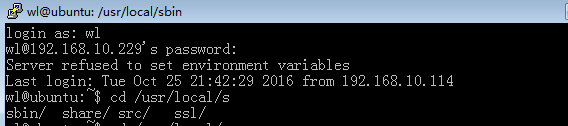
打开
连接登陆成功
通过ssh远程登陆
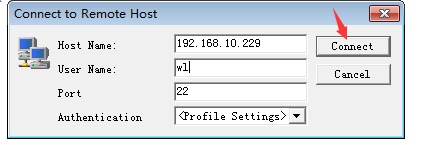
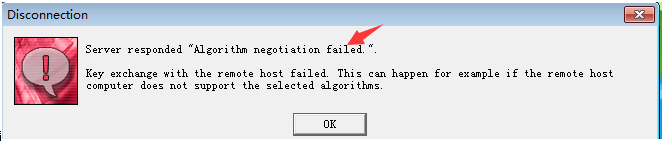
报错 Server responded "Algorithm negotiation failed" 原因 客户端与服务端的压缩方式不一样
解决方法 修改ssh的配置文件一般在/etc/ssh/sshd_config 但是我这里是在/usr/local/etc/sshd_config下打死
在配置文件中添加:
Ciphers aes128-cbc,aes192-cbc,aes256-cbc,aes128-ctr,aes192-ctr,aes256-ctr,3des-cbc,arcfour128,arcfour256,arcfour,blowfish-cbc,cast128-cbc
MACs hmac-md5,hmac-sha1,umac-64@openssh.com,hmac-ripemd160,hmac-sha1-96,hmac-md5-96
KexAlgorithms diffie-hellman-group1-sha1,diffie-hellman-group14-sha1,diffie-hellman-group-exchange-sha1,diffie-hellman-group-exchange-sha256,ecdh-sha2-nistp256,ecdh-sha2-nistp384,ecdh-sha2-nistp521,diffie-hellman-group1-sha1,curve25519-sha256@libssh.org

重启sshd服务后,即可正常连接,如下图。
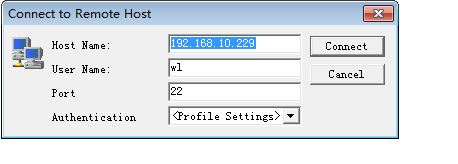
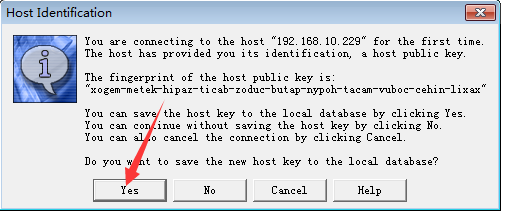
点击yes输入密码
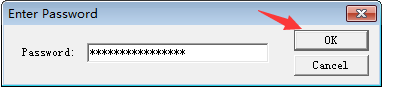
点击ok
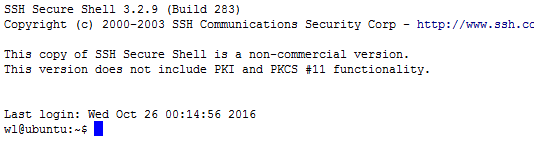
成功
设置 ssh开机启动,编辑/etc/rc.local文件

putty.exe下载地址
windows ssh 客户端下载地址
openssh-7.2p2.tar.gz 下载地址
openssh-server.deb 32位下载地址
以上所述是小编给大家介绍的ubuntu 安装openssh服务器的教程详解,希望对大家有所帮助,如果大家有任何疑问请给我留言,小编会及时回复大家的。在此也非常感谢大家对考高分网网站的支持!



