web端拷贝证书与密钥
scp -rp -P52113 /application/nginx/conf/key 10.0.0.5:/application/nginx/conf/
在nginx负载均衡服务端配置
vim /application/nginx/conf/nginx.conf
worker_processes 2;
error_log logs/error.log;
events {
  worker_connections 65535;
}
http {
  include    mime.types;
  default_type application/octet-stream;
  sendfile    on;
  keepalive_timeout 65;


  upstream server_pools {
    server 10.0.0.200:443 weight=1 max_fails=3 fail_timeout=10;
    #server 10.0.0.8:443 weight=1 max_fails=3 fail_timeout=10;
    #server 10.0.0.9:443 weight=1 max_fails=3 fail_timeout=10;
  }

  server {
    listen    80;
    server_name localhost;
    rewrite ^(.*)$ https://$host$1 permanent;
  }
  server {
    listen 10.0.0.5:443;
    server_name www.abc.com;

    #开启 https 注意要添加在server区块 不能在http区块中放置
    ssl on;
    ssl_certificate /application/nginx/conf/key/server.crt;
    ssl_certificate_key /application/nginx/conf/key/server.key;

    location / {
      proxy_pass https://server_pools;
      proxy_set_header Host $host;
      proxy_set_header X-Forwarded-For $remote_addr;
    }
  }
}
#检查nginx负载均衡配置
/application/nginx/sbin/nginx -t
#重启nginx负载均衡
/application/nginx/sbin/nginx -s stop
/application/nginx/sbin/nginx
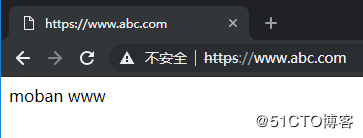
浏览器访问测试
注意修改hosts对应的是负载均衡的IP地址信息
访问测试
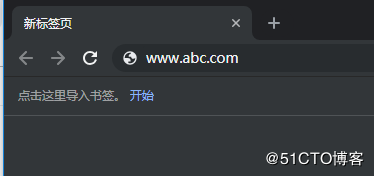
访问结果