SharePoint 引入了一个新的特性叫做 Content Type。我们都希望对文档库或列表进行更深一层的控制。比如,你可以在一个文档库中关联多个类型,每个类型关联一个特定的文档模板,工作流或元数......
2021-06-25 938 SharePoint内容类型

SharePoint online 默认是现代视图,我们可以通过Powershell命令切换默认视图。
以下,是完成的Powershell命令:
复制代码
# This file uses CSOM. Replace the paths below with the path to CSOM on this computer.
# If CSOM is in the user's downloads folder, you only have to replace the <username> placeholder.
Add-Type -Path "C:\Users\<username>\downloads\Microsoft.SharePointOnline.CSOM.16.1.5026.1200\lib\net45\Microsoft.SharePoint.Client.dll"
Add-Type -Path "C:\Users\<username>\downloads\Microsoft.SharePointOnline.CSOM.16.1.5026.1200\lib\net45\Microsoft.SharePoint.Client.Runtime.dll"
# All strings in braces < >are placeholders that you must replace with the appropriate strings.
$webUrl = 'https://<domain>.sharepoint.com/<relative-path-to-website>'
$username = '<username>@<domain>.onmicrosoft.com'
$password = Read-Host -Prompt "Password for $username" -AsSecureString
[Microsoft.SharePoint.Client.ClientContext]$clientContext = New-Object Microsoft.SharePoint.Client.ClientContext($webUrl)
$clientContext.Credentials = New-Object Microsoft.SharePoint.Client.SharePointOnlineCredentials($username, $password)
$site = $clientContext.Site;
$customActions = $site.UserCustomActions
$clientContext.Load($customActions)
$clientContext.ExecuteQuery()
$first = $true
foreach($customAction in $customActions)
{
if($customAction.Location -eq "scriptlink" -and -Not ([string]::IsNullOrEmpty($customAction.ScriptBlock)))
{
if ($first)
{
Echo " "
Echo ($webUrl + " has the following inline JavaScript custom actions")
$first = $false
}
Echo $customAction.Title
}
}
复制代码
如果保存ps1文件,请注意
Note: You can use a different file name, but you must save the file as an ANSI-encoded text file whose extension is .ps1
标签: SharePoint切换经典视图
相关文章
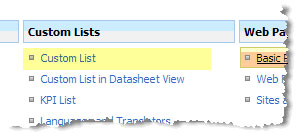
SharePoint 引入了一个新的特性叫做 Content Type。我们都希望对文档库或列表进行更深一层的控制。比如,你可以在一个文档库中关联多个类型,每个类型关联一个特定的文档模板,工作流或元数......
2021-06-25 938 SharePoint内容类型

最近,一直在前端和SharePoint进行交互,然后,发现一个好用的插件,分享给大家。 首先,需要添加一个引用,如下图: 当然,我这里只是举个例子,亲们一定要去下载这个库,然后传到服务......
2021-06-25 541 SharePoint,读取,内容,的,插件,之,SharepointPlus,
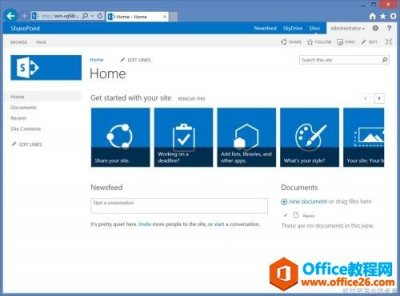
本次视频教程是为大家介绍如何使用SharePoint JavaScript客户端对象,包括对于站点、列表、文档库、列表项、文件夹、文件和附件等基本对象的操作,同时,为大家举几个简单的应用的例子,让......
2021-06-25 234 SharePoint视频教程
最近,有朋友问开发应用程序页,都是需要先登录再访问,无法开发匿名的应用程序页。 解决方法 其实,SharePoint帮我们提供了匿名访问的应用程序页的方法,只是和普通应用程序页继承的基......
2021-06-25 997 SharePoint,应用程序,页,匿名,最近,有,朋友,问,
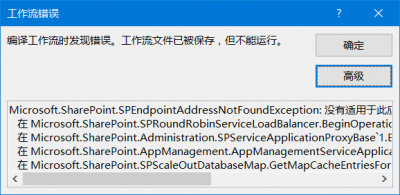
错误截图 创建完毕工作流,发布的时候报错,保存没有问题。 错误信息 Microsoft.SharePoint.SPEndpointAddressNotFoundException: 没有适用于此应用程序的地址。 在 Microsoft.SharePoint.SPRoundRobinServiceLoadBalanc......
2021-06-25 226 SharePoint,工作流,报错,“,没有,适用,于此,错误,